Pro scanning for Mac. Searchable, archive‑ready PDFs.
Scanthos turns your document scanner into a smart archive. Searchable PDFs in English and Arabic, PDF/A for long‑term records, Word export, and one scanner shared with the whole office.
macOS 13 Ventura or later · 15 languages including full Arabic · Launching early 2027
A professional scanner, and no professional Mac software for it.
Fujitsu’s fi Series doesn’t come with pro capture software for Mac. The alternatives are either expensive, dated, or produce flat images instead of documents you can actually search. Scanthos was built to fix exactly that.
Everything a document scanner should do on a Mac
All processing happens on your Mac. Your documents never leave it.
Searchable PDFs
Built‑in OCR for English and Arabic. Find any word in a contract you scanned two years ago, then copy and paste it.
Archive‑ready
Exports PDF/A‑2b, the long‑term archiving standard, validated with veraPDF.
Small files, sharp text
Smart mixed‑raster compression keeps text crisp and files tiny, easy to email or upload to portals.
Paper to Word
Turn a scanned document into an editable Word file.
More than the scanner
Import PDFs, images and phone photos. Scanthos auto‑crops them and fixes perspective and lighting.
Less busywork
- Watched folder: files that land in it are processed automatically
- Finder service: right‑click any file
- Password‑protected PDFs
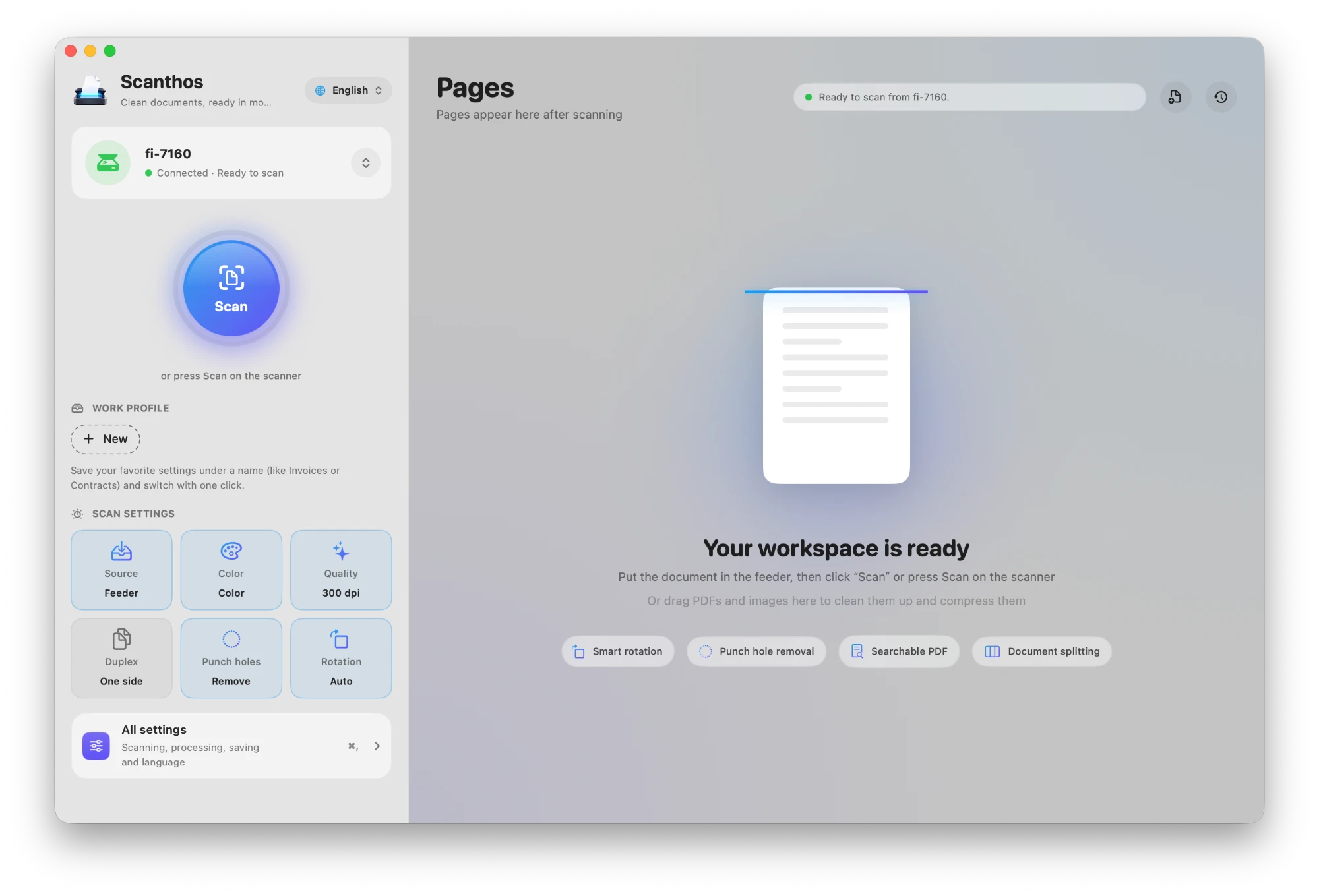
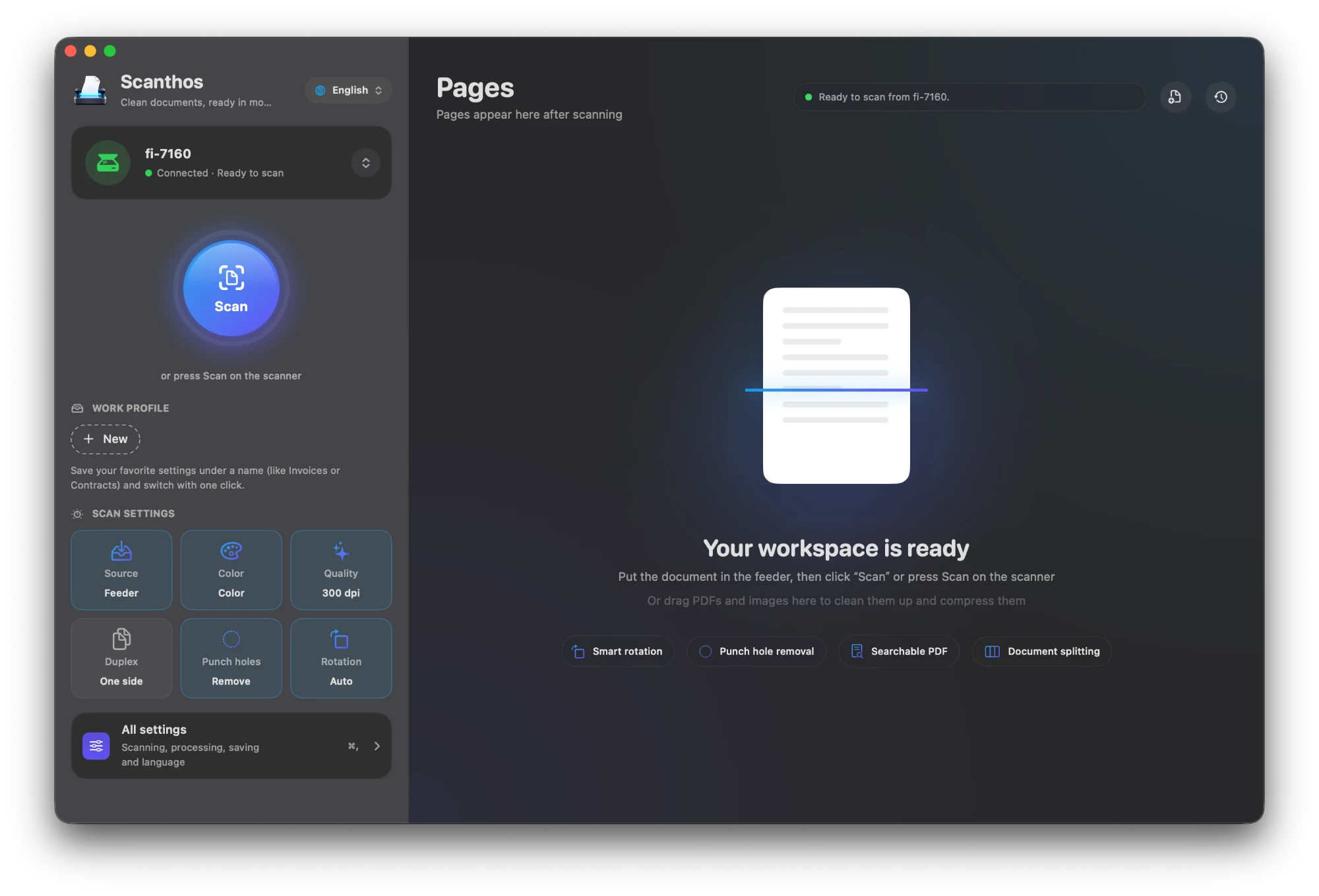
See it in action
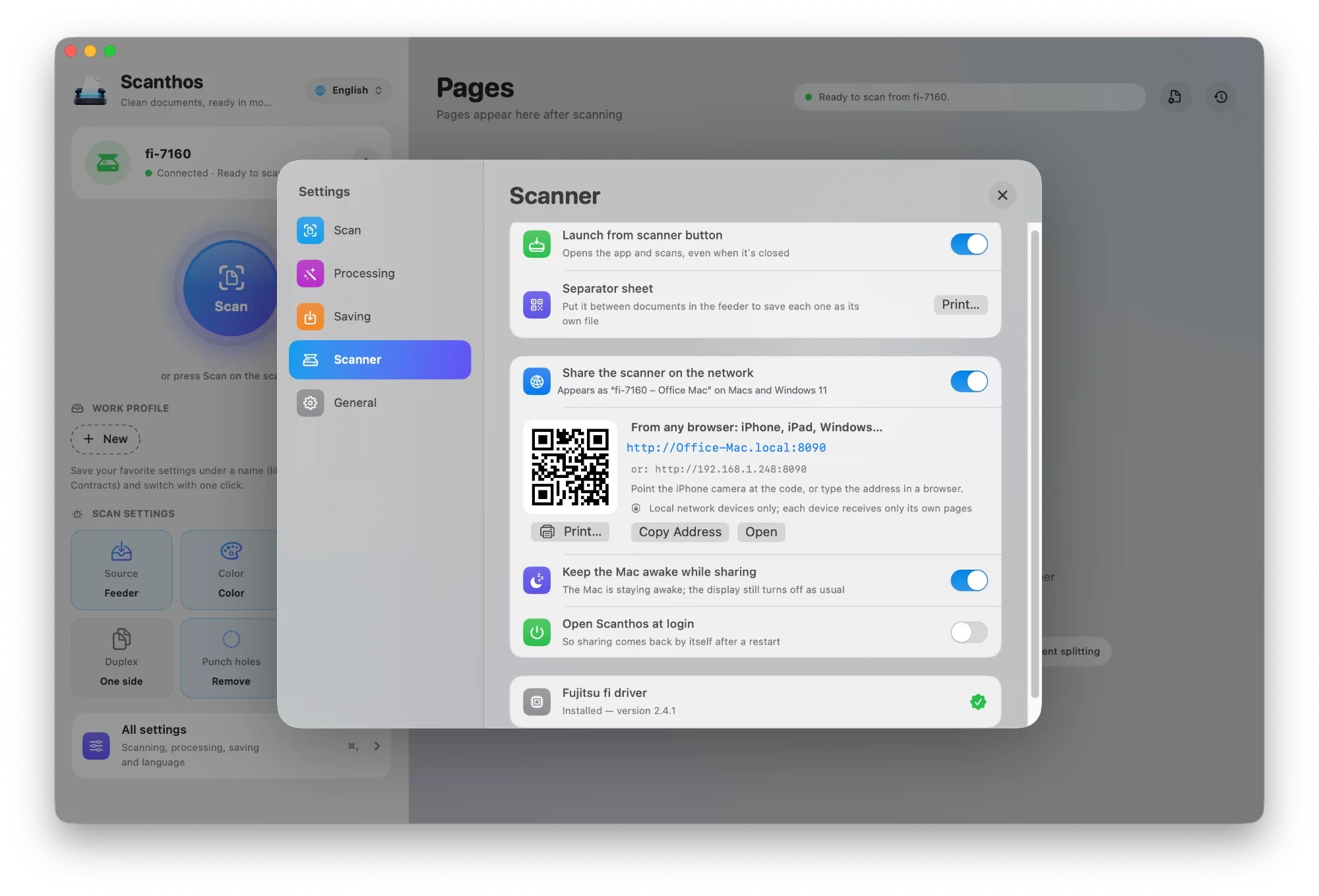
Real screenshots from Scanthos. The interface also comes in Arabic (right‑to‑left) and 13 more languages.
One scanner for the whole office
Plug the scanner into one Mac. Everyone in the office can scan. (Office plan)
Macs and Windows 11
Other computers see it as a standard network scanner (AirScan/eSCL), with no drivers to install.
Any phone or browser
iPhone included: scan from a simple web page on the office network.
Private by design
Sharing works on your local network only, and pauses automatically on other networks.
Printable office sheet
A QR code and short instructions to post next to the scanner.
How it works
- Install Scanthos.
It installs the official fi driver if you need it. - Load paper and press Scan.
Duplex, blank‑page removal and deskew happen automatically. - Save
as a searchable PDF, PDF/A or Word file, wherever you like.
Supported scanners
Tested: Fujitsu fi‑7160. Expected to work: other fi Series models, confirmed as we test them. Try Scanthos free for 14 days and confirm it works with your scanner before you buy. Scanner not listed? Tell us.
Pricing
Buy once and keep it. Launch prices for early customers.
Pro Launch price
- Searchable PDF (English & Arabic OCR)
- PDF/A, smart compression, Word
- Import PDFs, images, phone photos
- Watched folder, password PDFs
Office Launch price
- Everything in Pro
- Network scanner sharing (AirScan + web page)
- Unlimited devices on the office network
- Printable office sheet
- Prices in USD. Saudi Arabia: Pro 185 SAR (219 SAR regular), Office 559 SAR (749 SAR regular). VAT is calculated at checkout.
- One‑time purchases include 1 year of updates. The app keeps working forever; updates after the first year are optional ($29/yr Pro, $79/yr Office).
- 14‑day free trial · 30‑day money‑back guarantee · 5+ seats 20% off · education and nonprofits 30% off.
- Our order process is conducted by our online reseller Paddle.com, the Merchant of Record for all our orders.
FAQ
Do I need an internet connection?
No. Scanning and OCR run entirely on your Mac. You only need internet to download the app and its updates.
Are my documents uploaded anywhere?
No. Everything is processed locally on your Mac.
Will it work with my scanner?
Scanthos is tested with the Fujitsu fi‑7160, and we add models as we verify them. The best way to know is the free 14‑day trial.
Pro vs. Office?
Pro is for one Mac. Office includes everything in Pro, plus sharing the scanner with every device on your office network.
Is it a subscription?
No. Pro and Office are one‑time purchases. Office is also available monthly if you prefer.
Do I get a VAT invoice?
Yes. Paddle issues a tax invoice, and you can add your company’s VAT number at checkout.
When can I buy it?
Scanthos launches in early 2027. Email us to get early access or to be notified.